Module · Shift planning
Shift planning that just works.
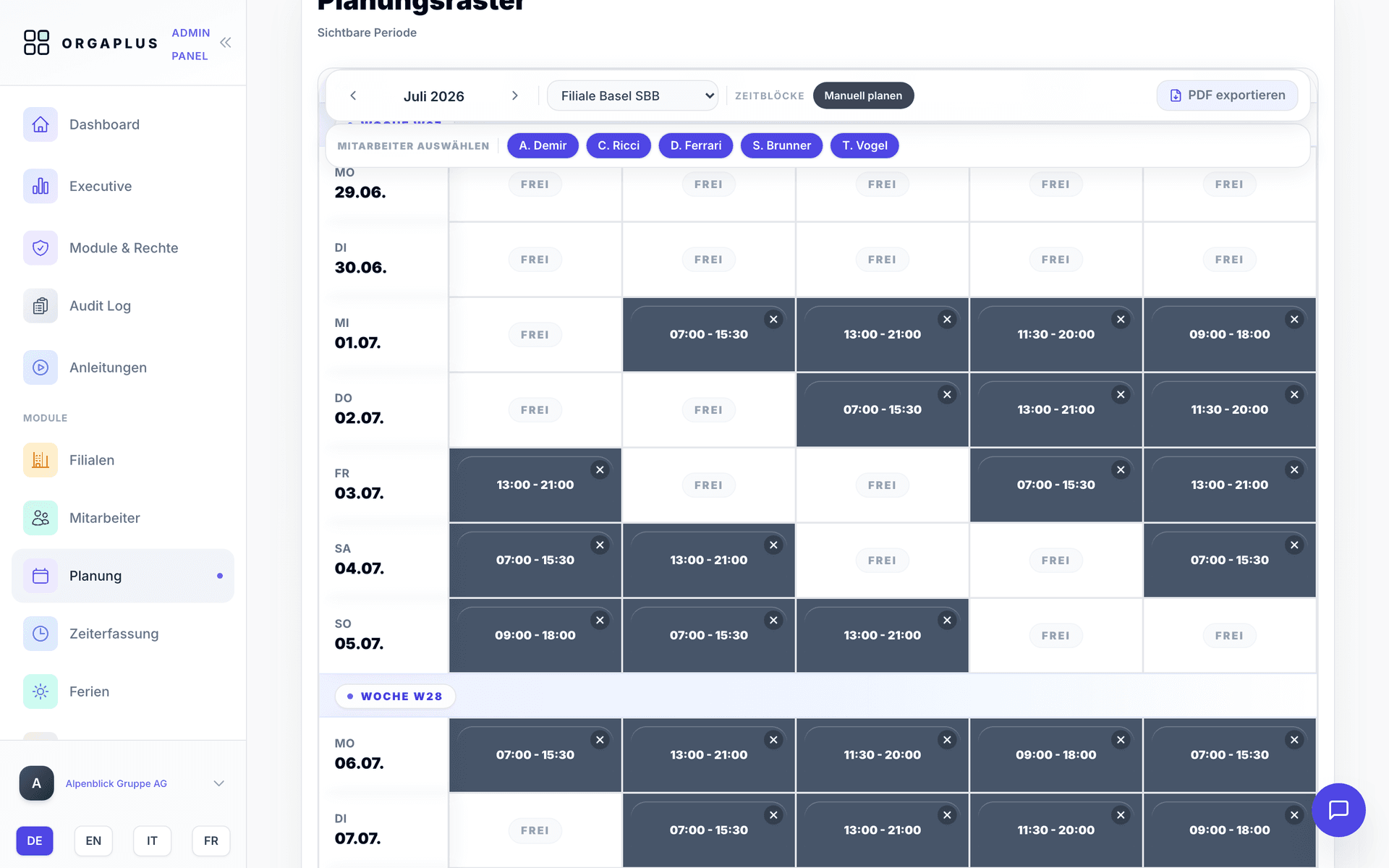
Weekly schedules by drag-and-drop — for one location or twenty. Conflicts and absences are checked automatically, and your team is notified via app.
How it works
Set up locations and shifts
Create branches, shift types and your team once. Templates for retail, restaurants and cleaning are included.
Plan the week by drag-and-drop
Move and copy shifts, or reuse entire weeks. Double bookings, absences and holidays are flagged instantly.
Publish and get confirmations
One click and the plan reaches your team: push notification in the app, confirmations and swap requests included.
Everything for a clean schedule
From the first draft to the published weekly plan — without Excel and without email ping-pong.
Drag-and-drop planning
Create, move and copy shifts — reuse entire weeks as templates.
Conflict detection
Double bookings, absences and overplanning are shown instantly while you plan.
All locations in one view
Plan across branches and deploy employees flexibly between locations.
Availability via app
Your team enters their own availability — you only plan what's actually possible.
Push notifications
New shifts, changes and open requests land directly on the smartphone.
Shift swaps
Employees swap shifts with each other — with manager approval.
Workload and overtime in view
Planned hours against contracted workload per person — overtime flows straight into time tracking and payroll.
PDF and CSV export
Print the finished plan, post it or share it digitally — professionally formatted.
Related modules
For your industry
Your next weekly plan: minutes, not hours.
Try OrgaPlus free for 14 days — no credit card required.